
Type: Content Original link: https://x.com/notebooklm/status/1991575294352740686?s=43&t=ANuJI-IuN5rdsaLueycEbA Publication date: 2025-11-24
Summary #
Introduction #
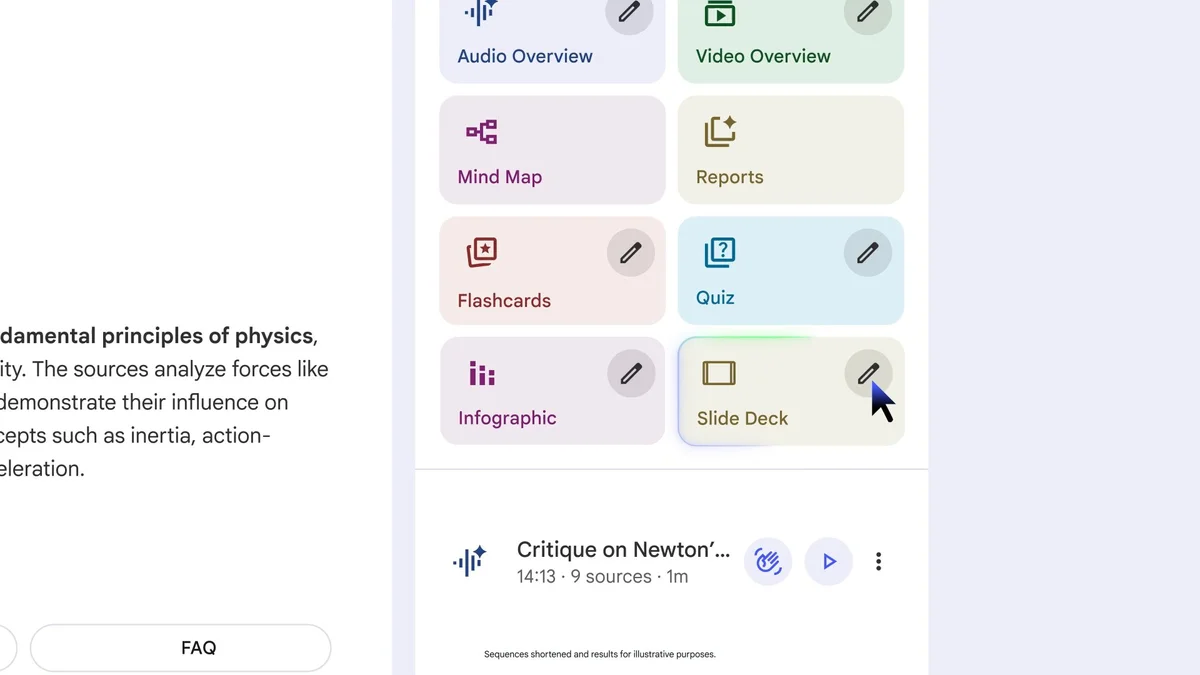
Have you ever wished to turn your information sources into detailed, personalized presentations with just one click? This is exactly what the new Slide Decks tool from NotebookLM promises. The tweet that caught our attention announces a feature that allows you to convert your sources into detailed reading decks or presentation-ready slide sets. But what makes this innovation so special? Let’s find out together.
Slide Decks is a feature that promises to revolutionize the way we prepare and present our information. With the ability to fully customize the slides, this tool adapts to any audience, skill level, and presentation style. But how does it work exactly, and what are its potential uses? Let’s explore it in detail.
The Context #
Creating presentations is a common activity for students, professionals, and researchers. However, it often requires time and specific skills to achieve a quality result. Slide Decks was born to solve this problem, offering a solution that automates the transformation of information sources into ready-to-use presentations. This tool fits into an increasingly tech-oriented ecosystem focused on simplification and efficiency, where customization is the key to reaching a diverse audience.
NotebookLM, the company behind this innovation, is known for its commitment to improving the user experience through intuitive and powerful tools. Slide Decks is just the latest example of how this company is working to make content creation more accessible and customizable. The feature is already available for Pro users, with a release planned for free users in the coming weeks.
Why It’s Interesting #
Complete Customization #
One of the most interesting aspects of Slide Decks is its ability to be fully customizable. This means you can adapt your presentations to any audience, from beginners to advanced users, and in any style. For example, a teacher could use Slide Decks to create detailed reading decks for their students, while a professional could prepare presentation-ready slides for a business meeting.
Time Savings #
Another significant advantage is the time saved. With Slide Decks, you no longer have to spend hours creating slides from scratch. Just insert your sources, and the tool will do the rest, generating a reading deck or a set of presentation-ready slides. This is particularly useful for those who need to prepare many presentations in a short time, such as researchers or consultants.
Comparisons with Alternatives #
If we compare Slide Decks with other presentation solutions, such as PowerPoint or Google Slides, the difference is immediately apparent. While these tools require some technical skill and time to create slides, Slide Decks automates the process, making it accessible even to those with no experience in creating presentations.
How It Works #
Using Slide Decks is extremely simple. Once you have access to the feature, you can start by inserting your information sources. The tool analyzes the content and automatically generates a detailed reading deck or a set of presentation-ready slides. You can then customize every aspect of the slides, from design to content, to suit your specific needs.
To get started, you need a NotebookLM Pro account. However, the release for free users is planned for the coming weeks, making this feature accessible to a wider audience. Once you have access, you can explore the various customization options and see how Slide Decks can transform the way you prepare presentations.
Reflections #
Slide Decks represents a significant step forward in the field of presentation creation. With its ability to automate and customize the process, this tool has the potential to revolutionize the way we prepare and present our information. For the developer and tech enthusiast community, Slide Decks offers new opportunities to create high-quality content efficiently and accessibly.
In a world increasingly focused on customization and efficiency, tools like Slide Decks are destined to become indispensable. We look forward to seeing how this innovation will evolve and how it will influence the way we work and present our ideas.
Use Cases #
- Private AI Stack: Integration into proprietary pipelines
- Client Solutions: Implementation for client projects
Resources #
Original Links #
- Next up… Slide Decks! Turn your sources into a detailed deck for reading OR a set of presentation-ready slides - Original link
Article suggested and selected by the Human Technology eXcellence team, processed through artificial intelligence (in this case with LLM HTX-EU-Mistral3.1Small) on 2025-11-24 17:37 Original source: https://x.com/notebooklm/status/1991575294352740686?s=43&t=ANuJI-IuN5rdsaLueycEbA
Related Articles #
- Nano Banana Pro is wild - Go, AI
- Nano Banana Pro is making millions of interior designers obsolete I upload my floor plan and it design the whole house for me, and even generate real images for each room based on the dimension - Image Generation
- We present Olmo 3, our next family of fully open, leading language models - LLM, Foundation Model